Manage units, tenants, reservations, leases and manual payment records in one desktop app for Mac or Windows. Built for one independent facility—without another monthly software bill.
One connected account · charges, payments and the remaining balance · open full size ↗
Inside the app
A place for each part of the tenancy.
Keep the unit, renter and account connected, so the next step starts with the record you already have.
1
Reserve and move in
Hold a unit for a tenant and retain the agreement they reviewed.
2
Manage the stay
Keep rent, manual payment records and notices with the account.
3
Close it out properly
Record inspection and deposit disposition, then release the unit or mark it for maintenance.
A closer look
Real screens. A clearer picture of the product.
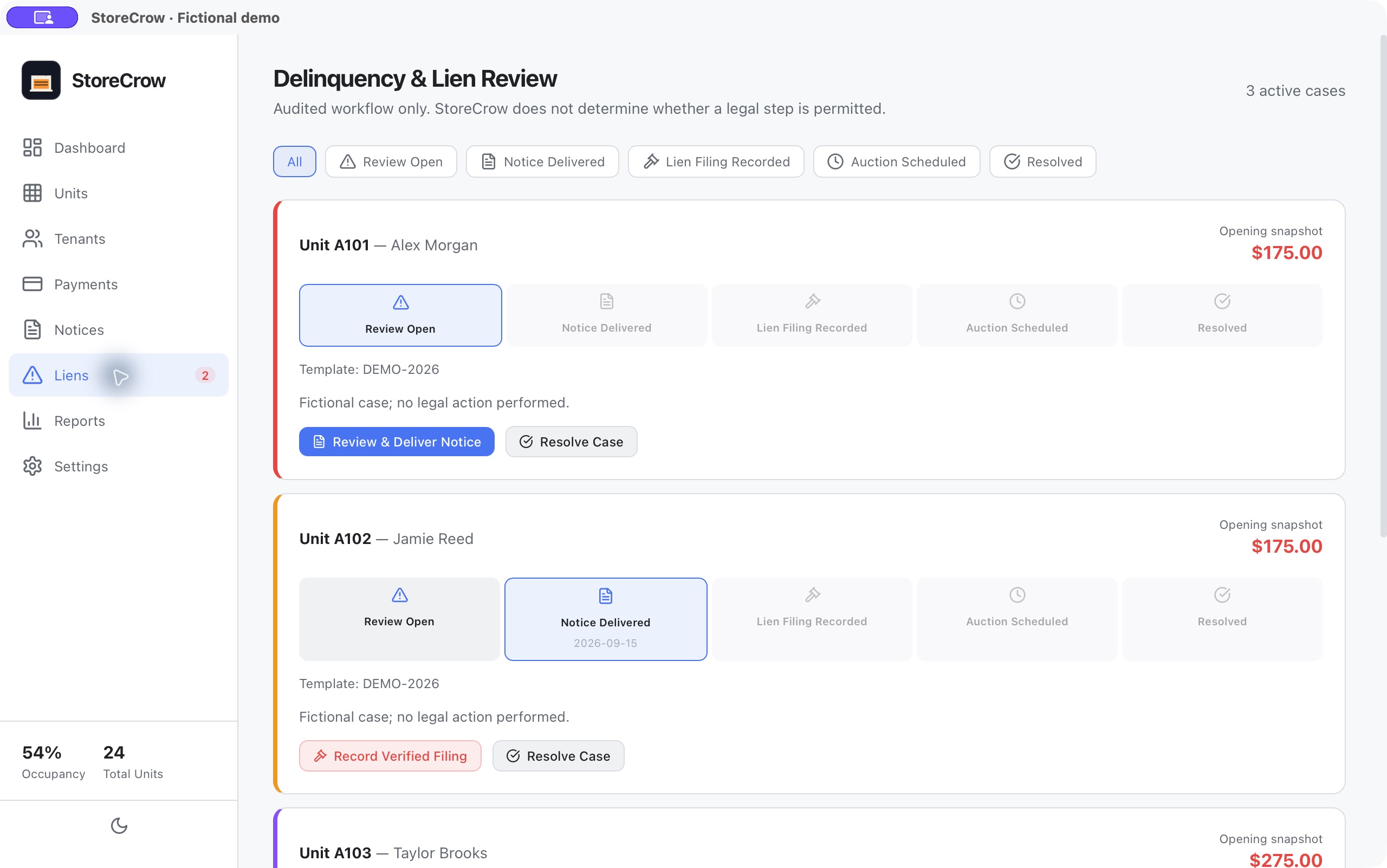
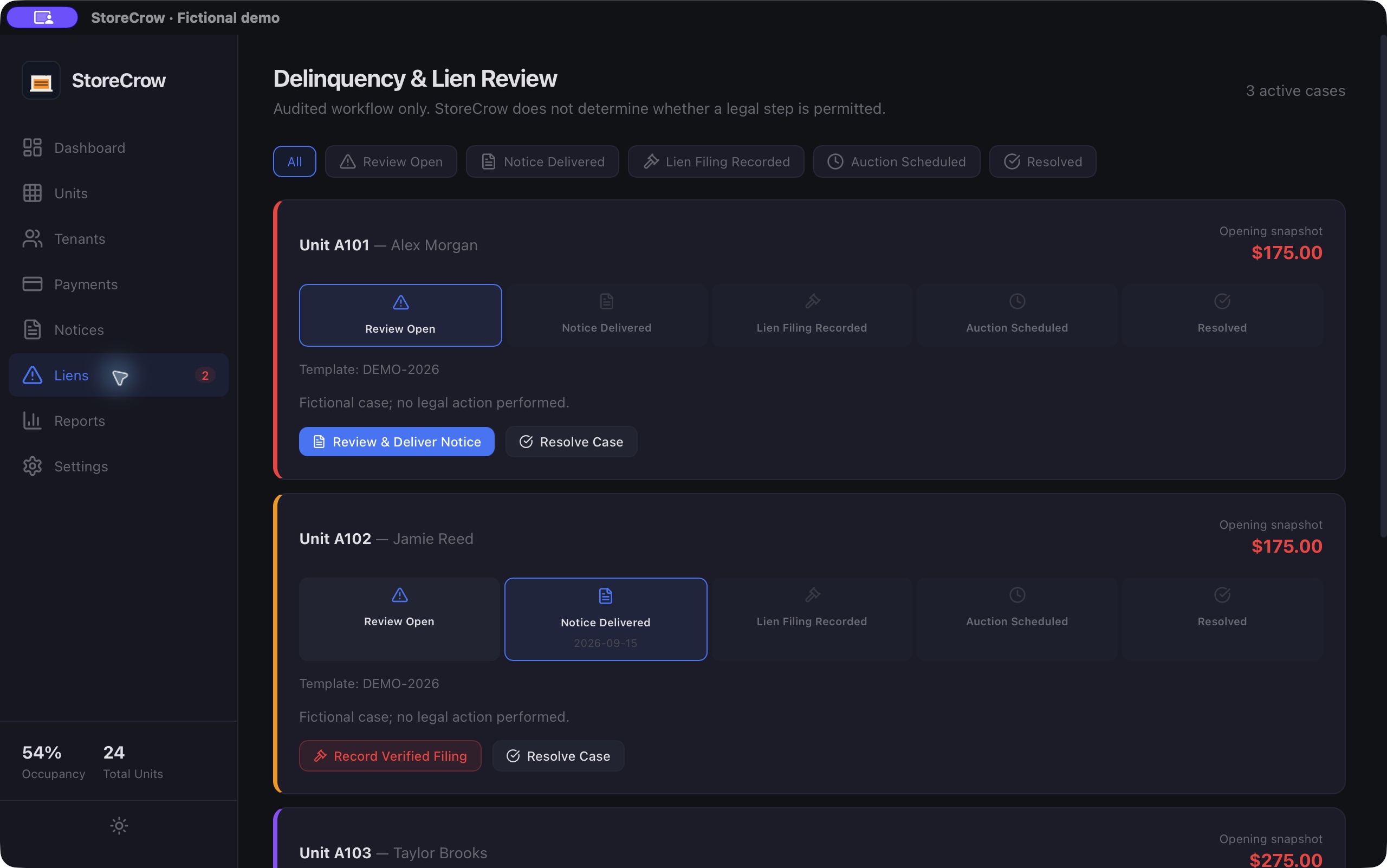
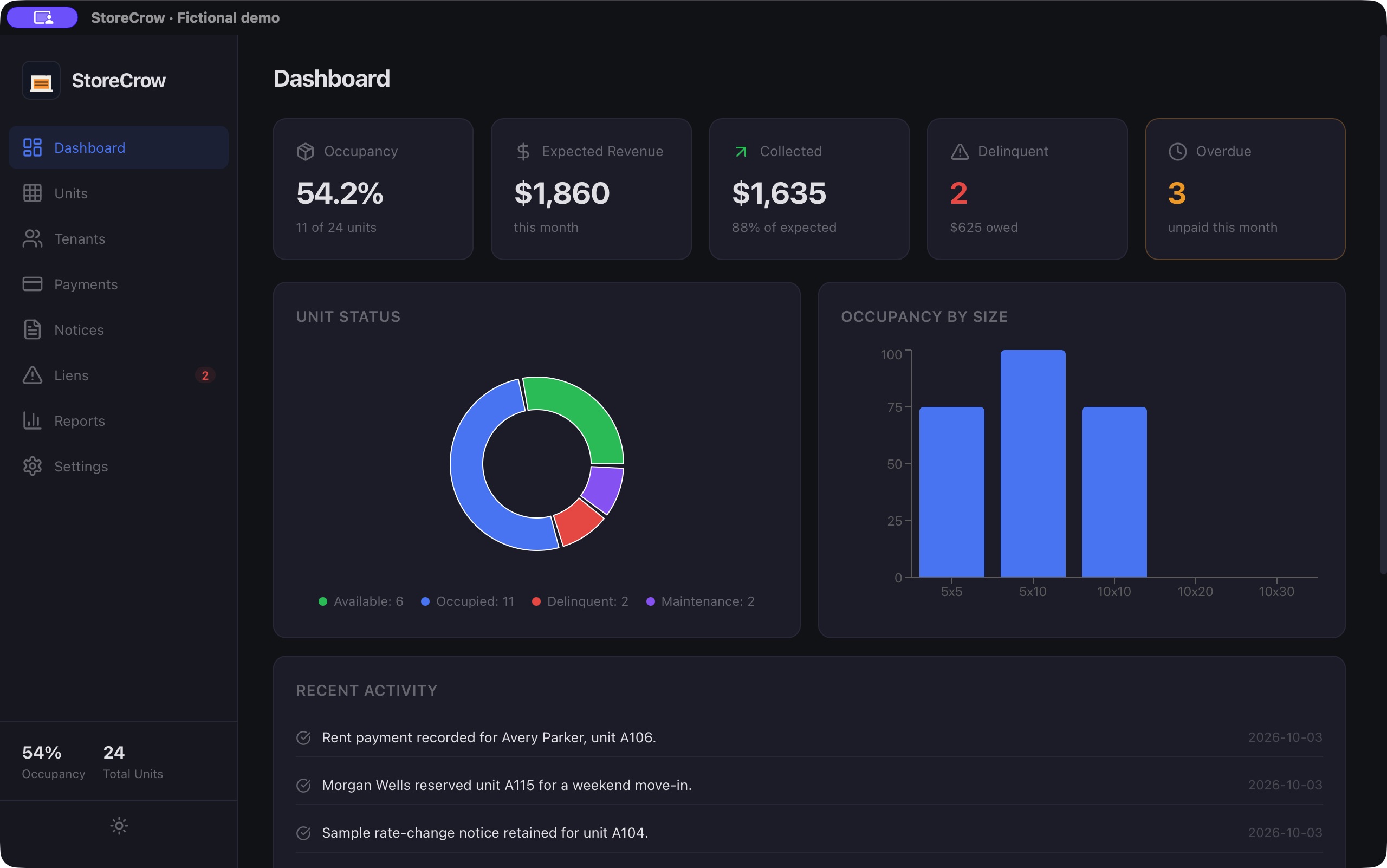
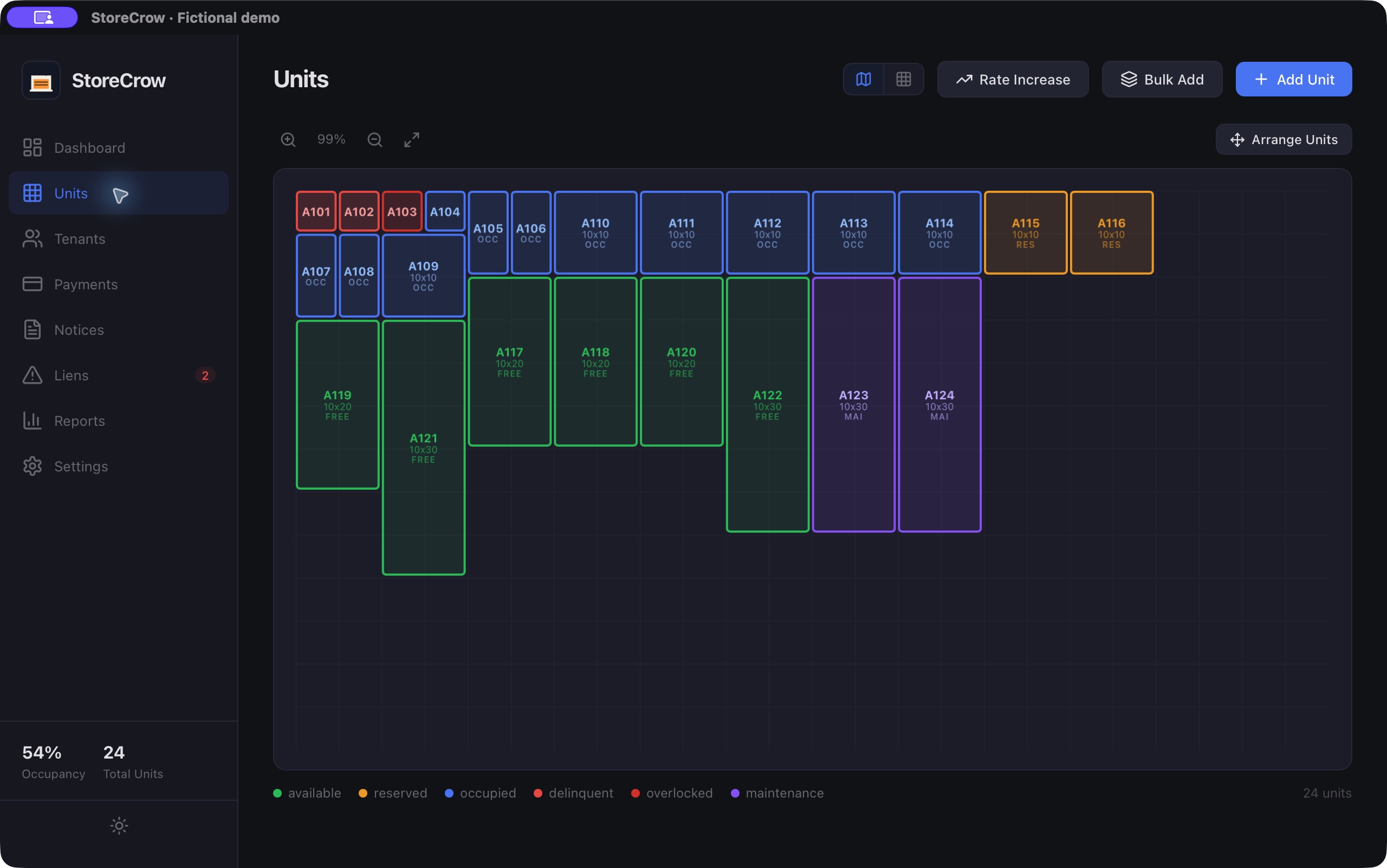
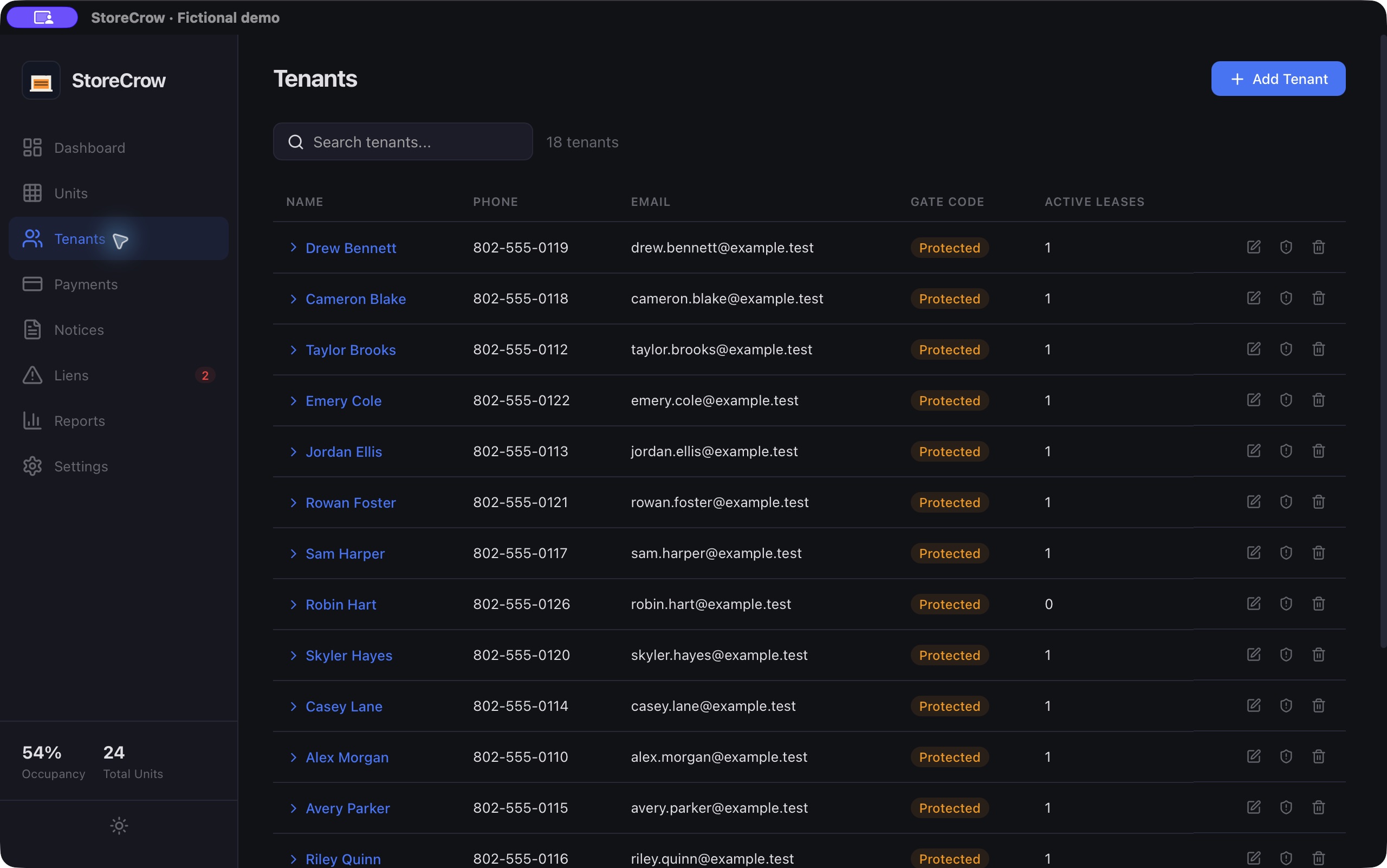
Payment histories, notice records and case timelines—not empty screens. Explore a populated facility in light and dark, then look closer at the workflows behind the day.
22 new app captures
The eight everyday workspaces
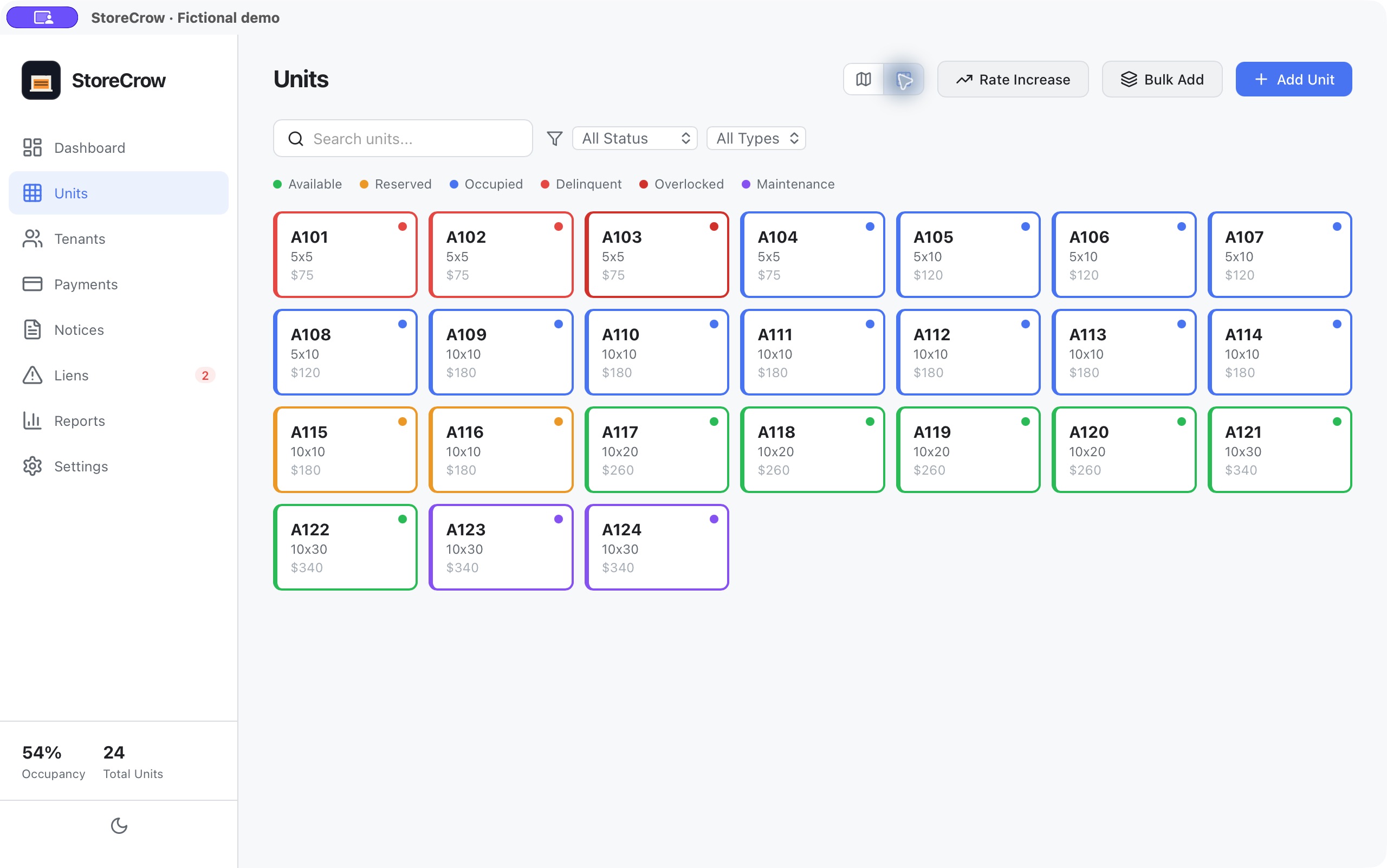
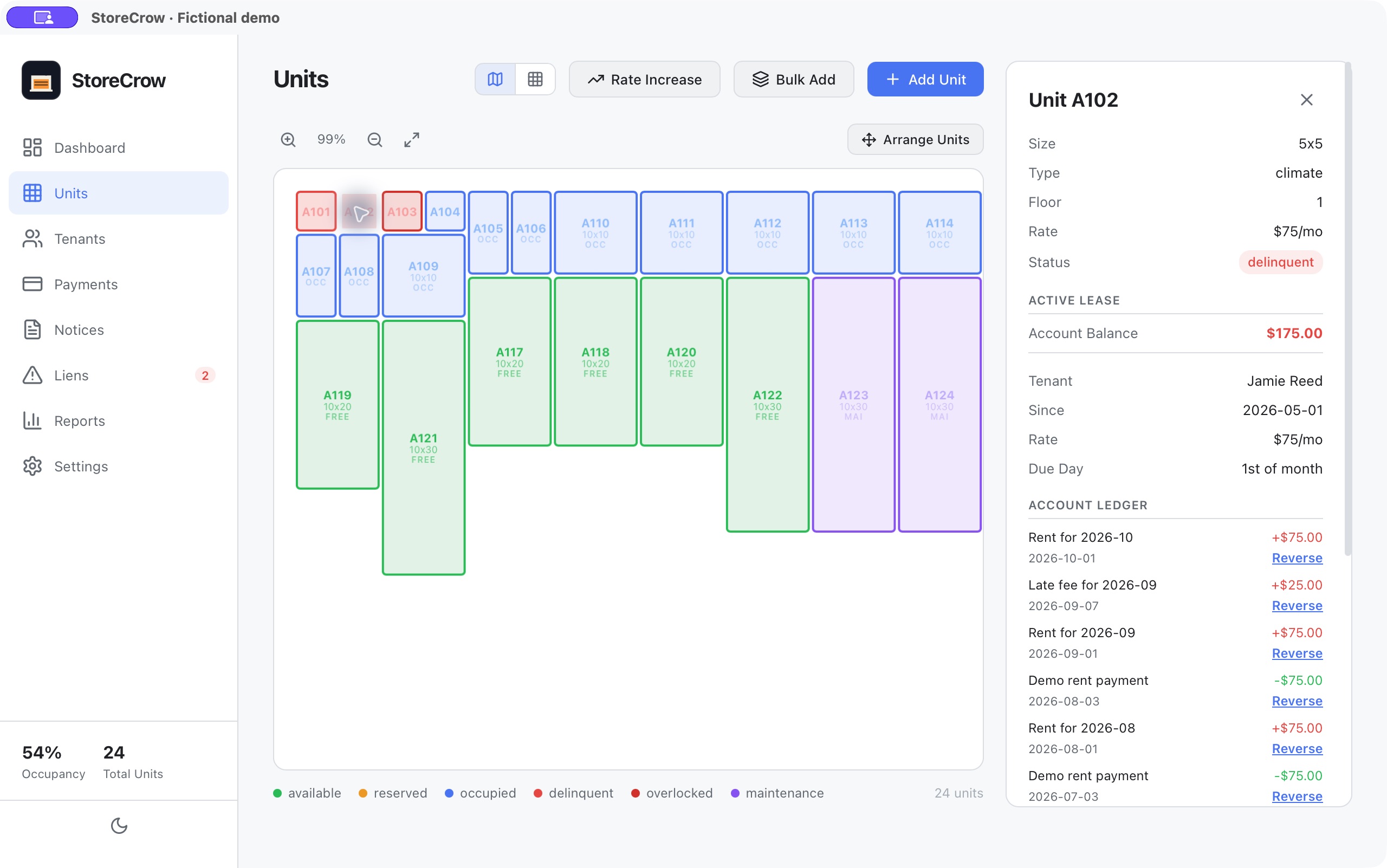
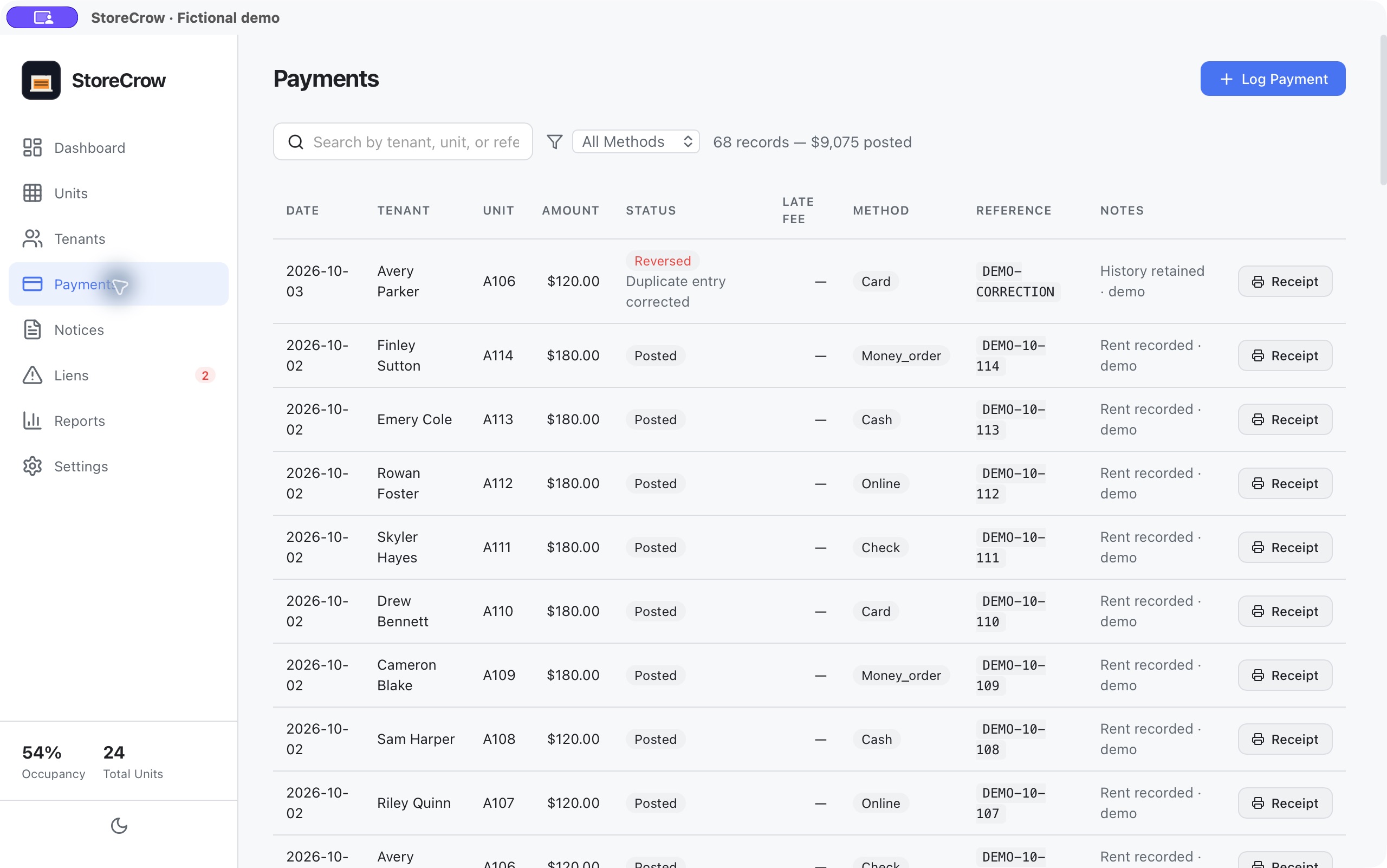
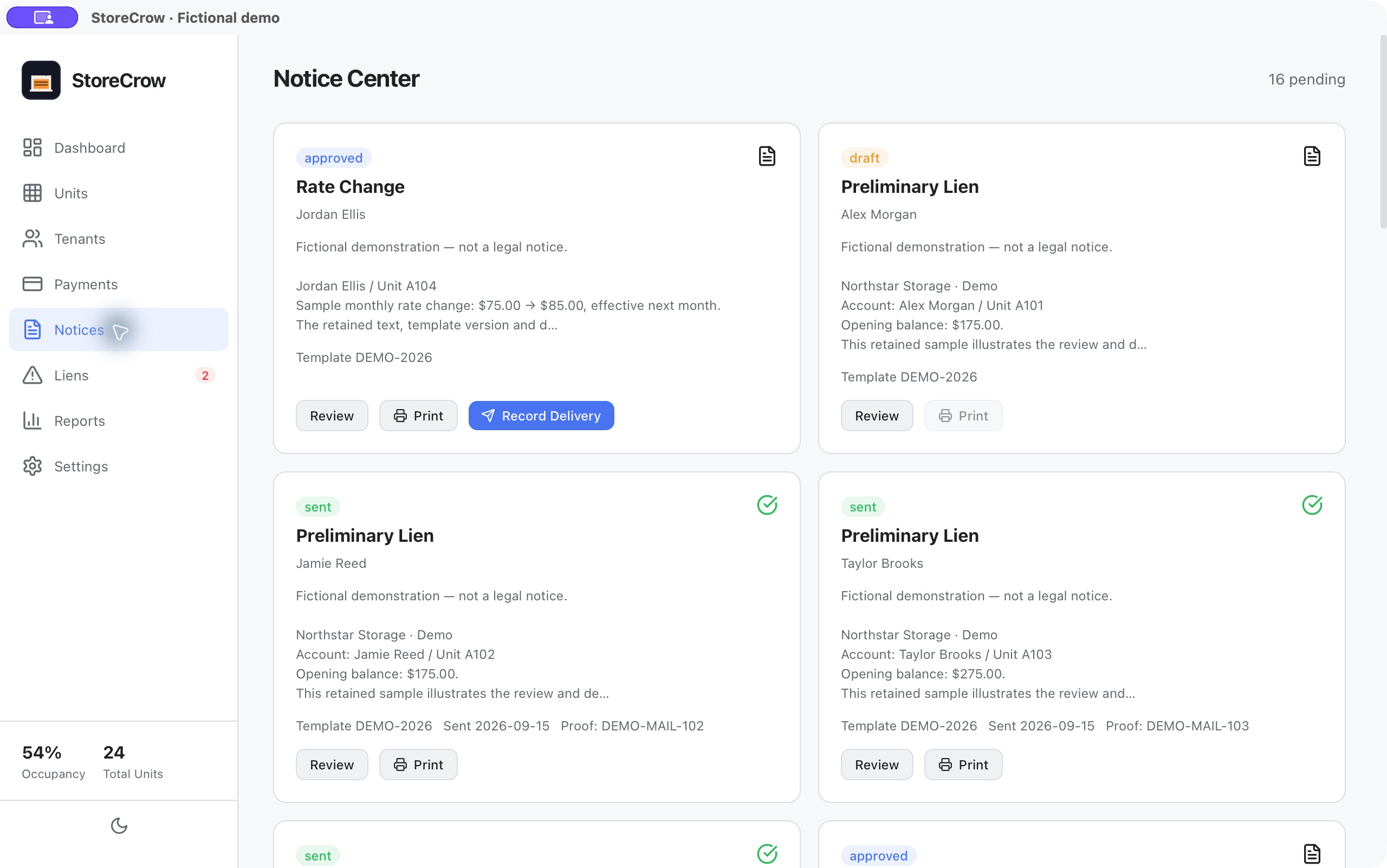
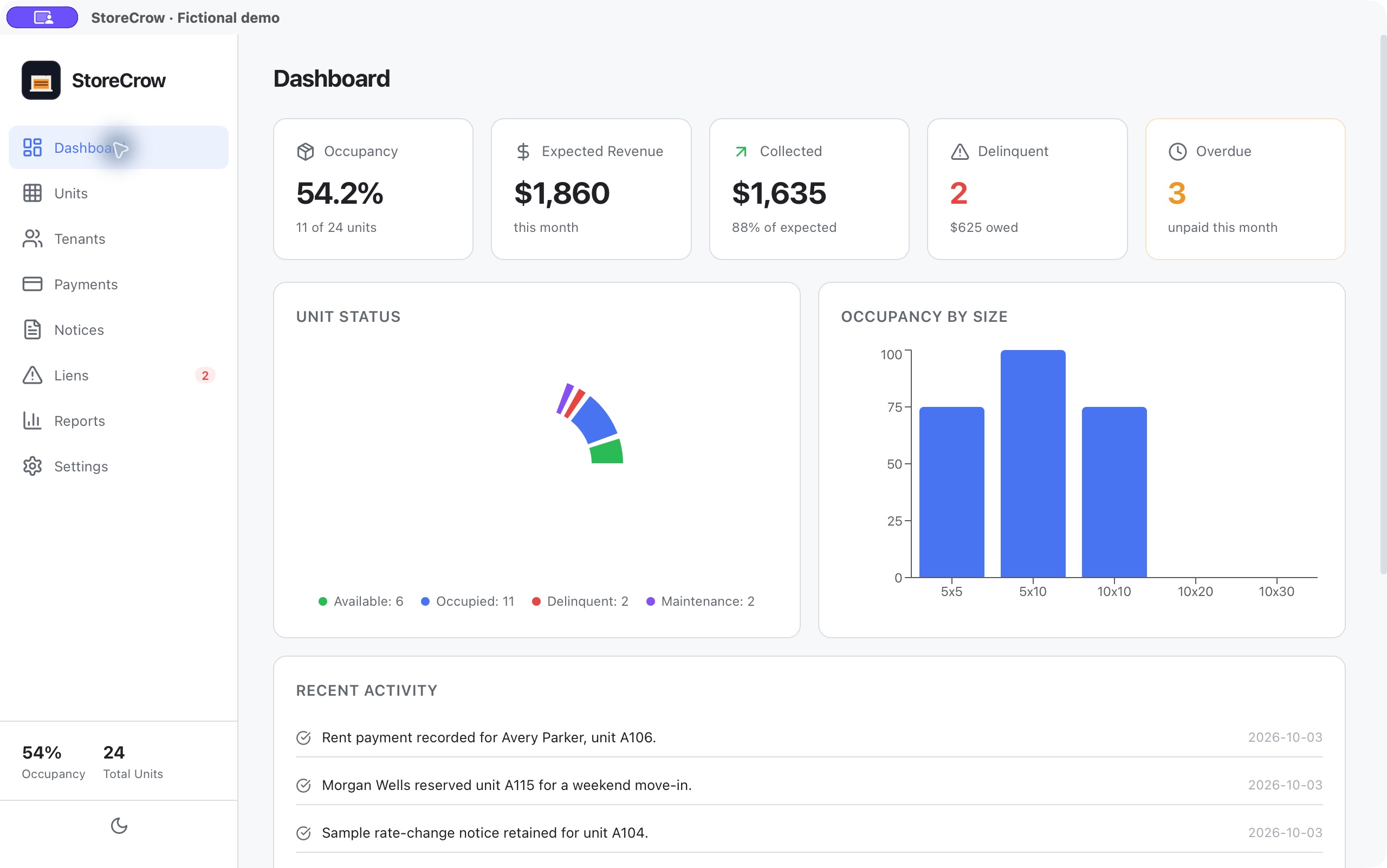
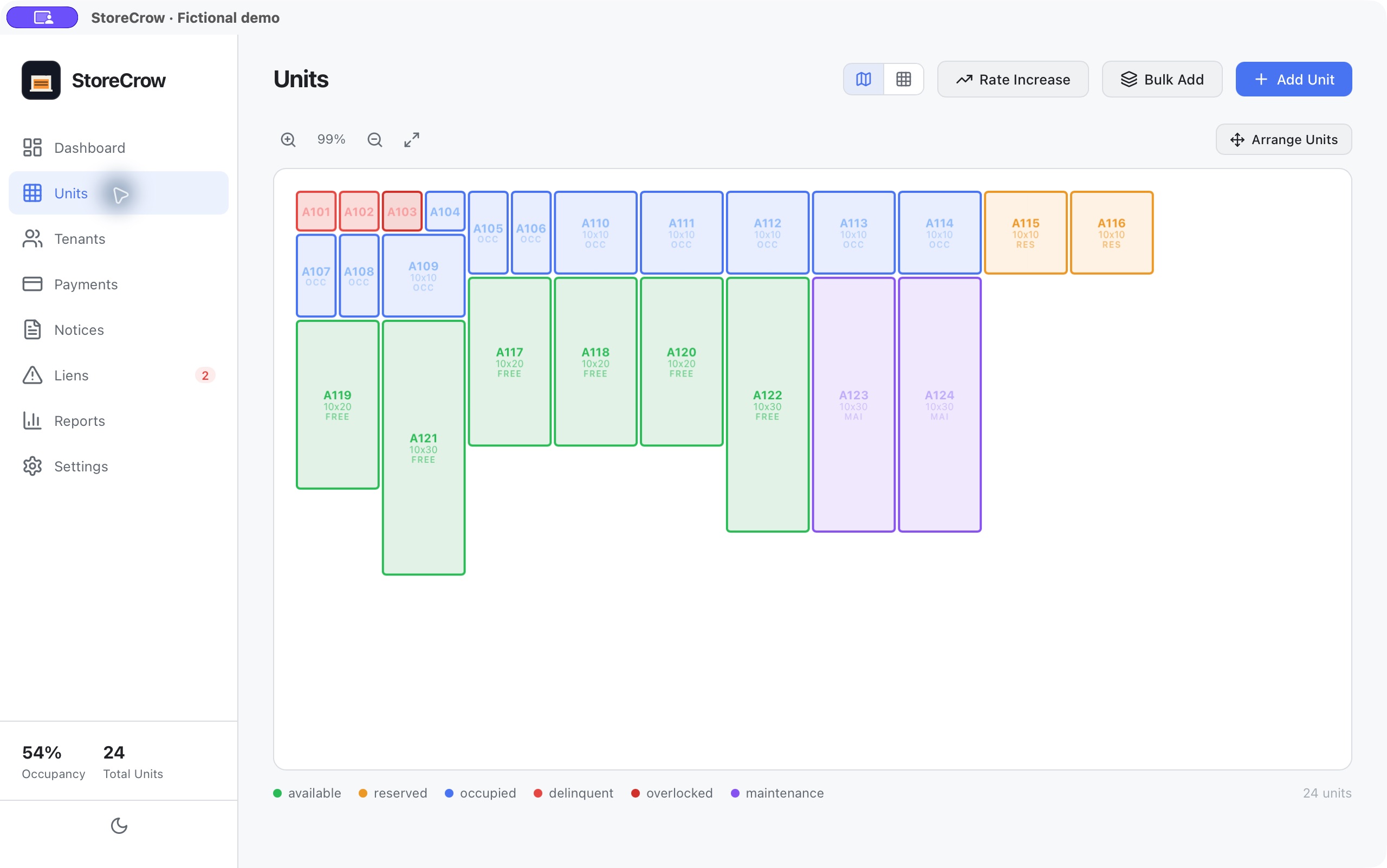
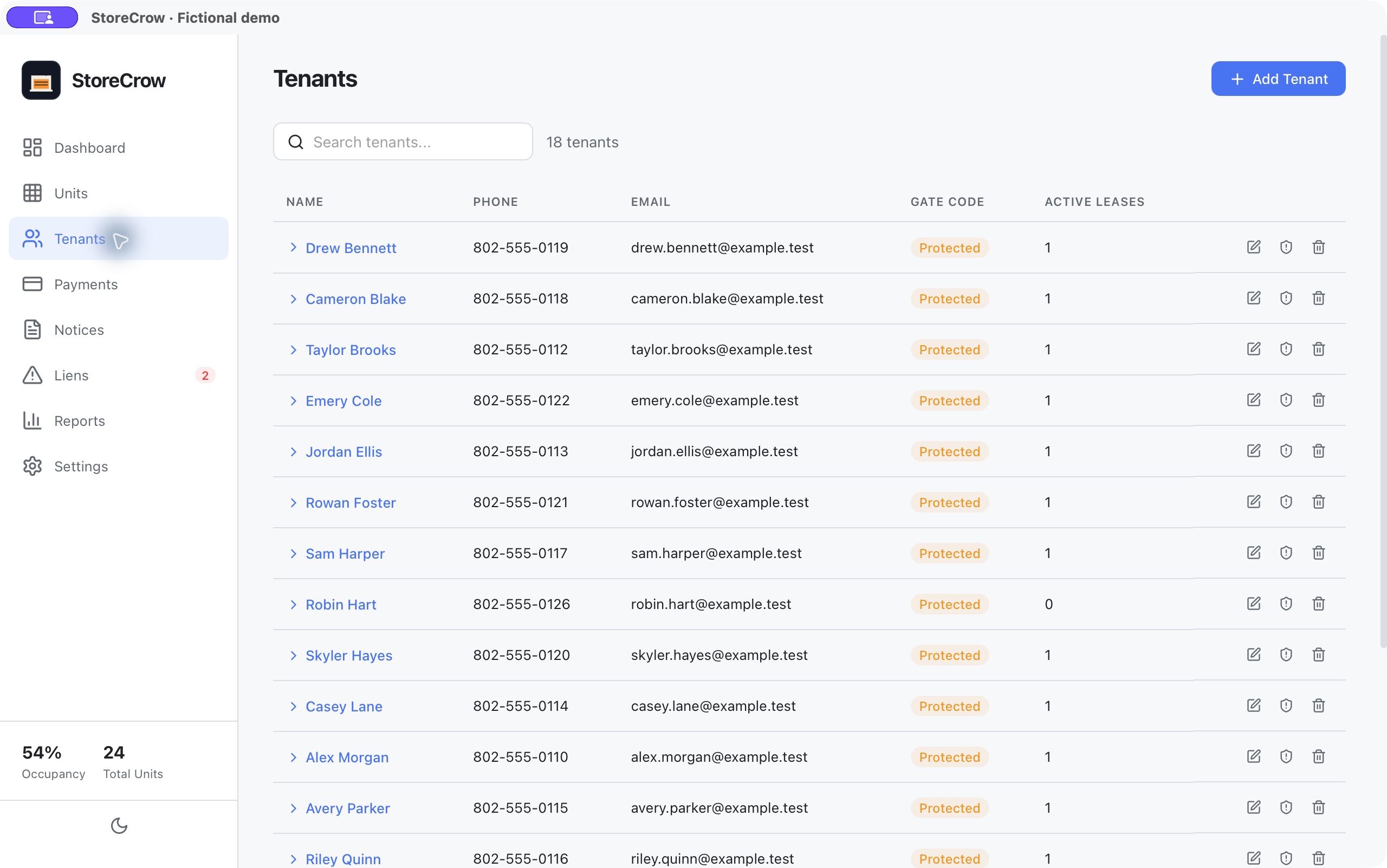
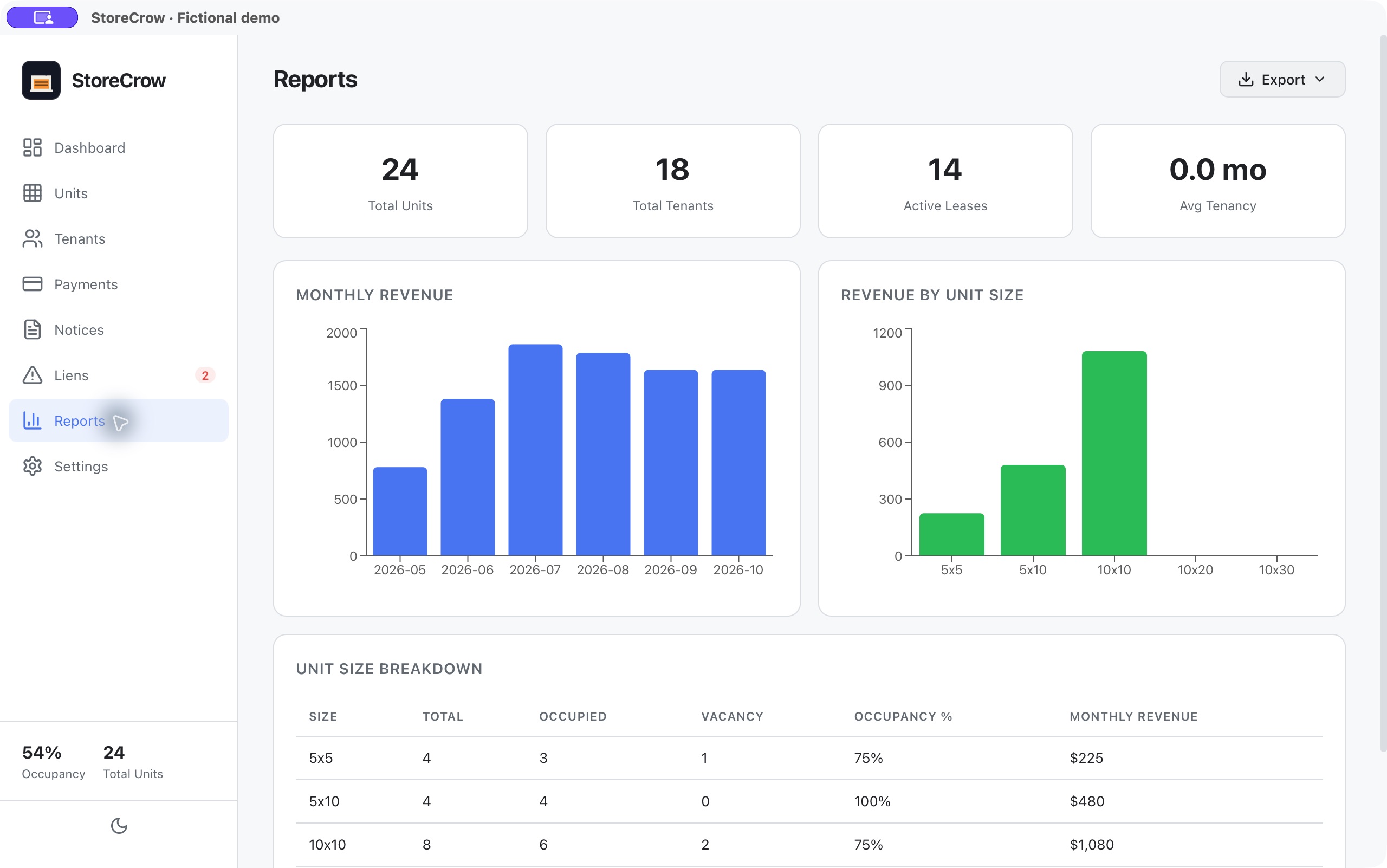
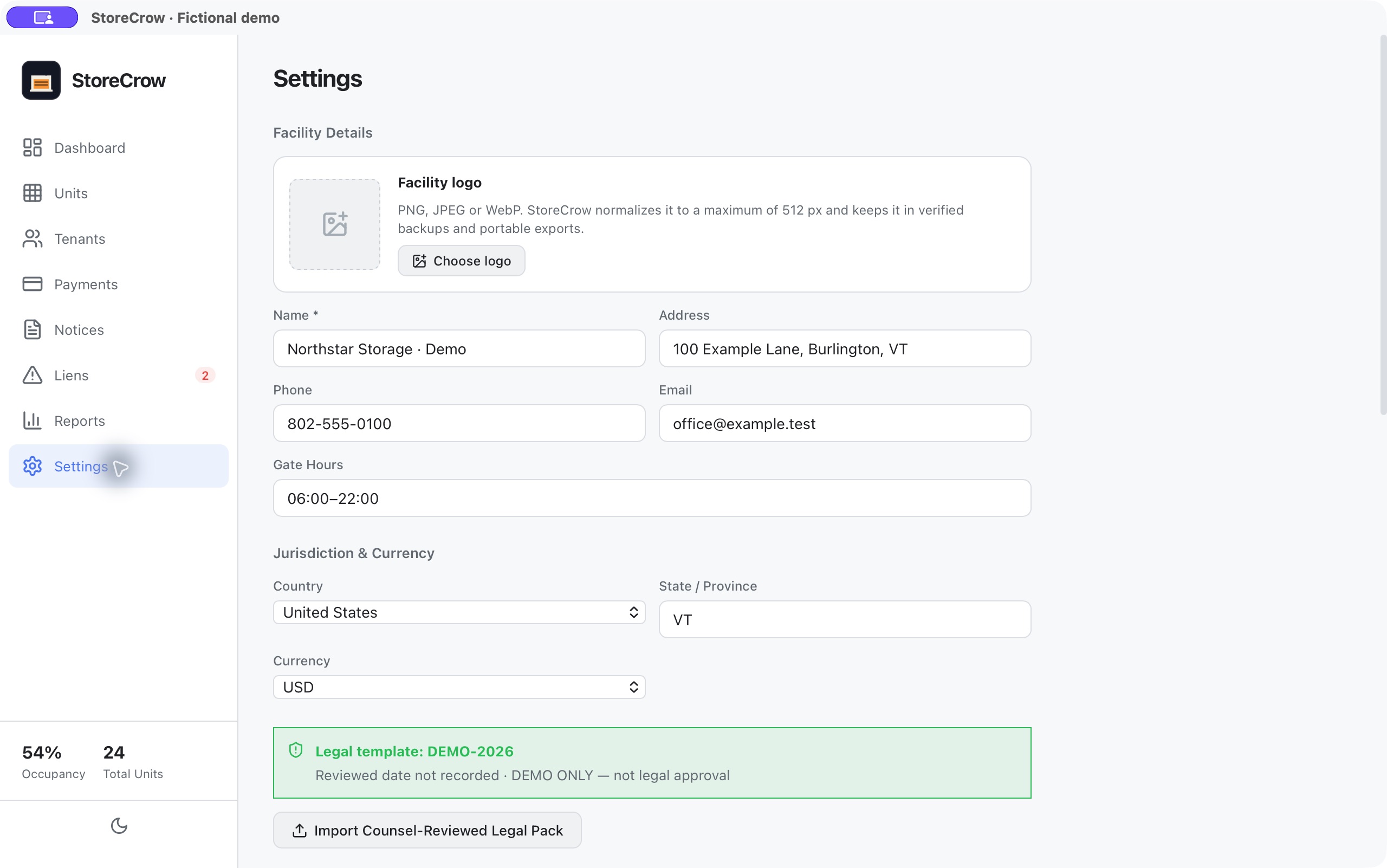
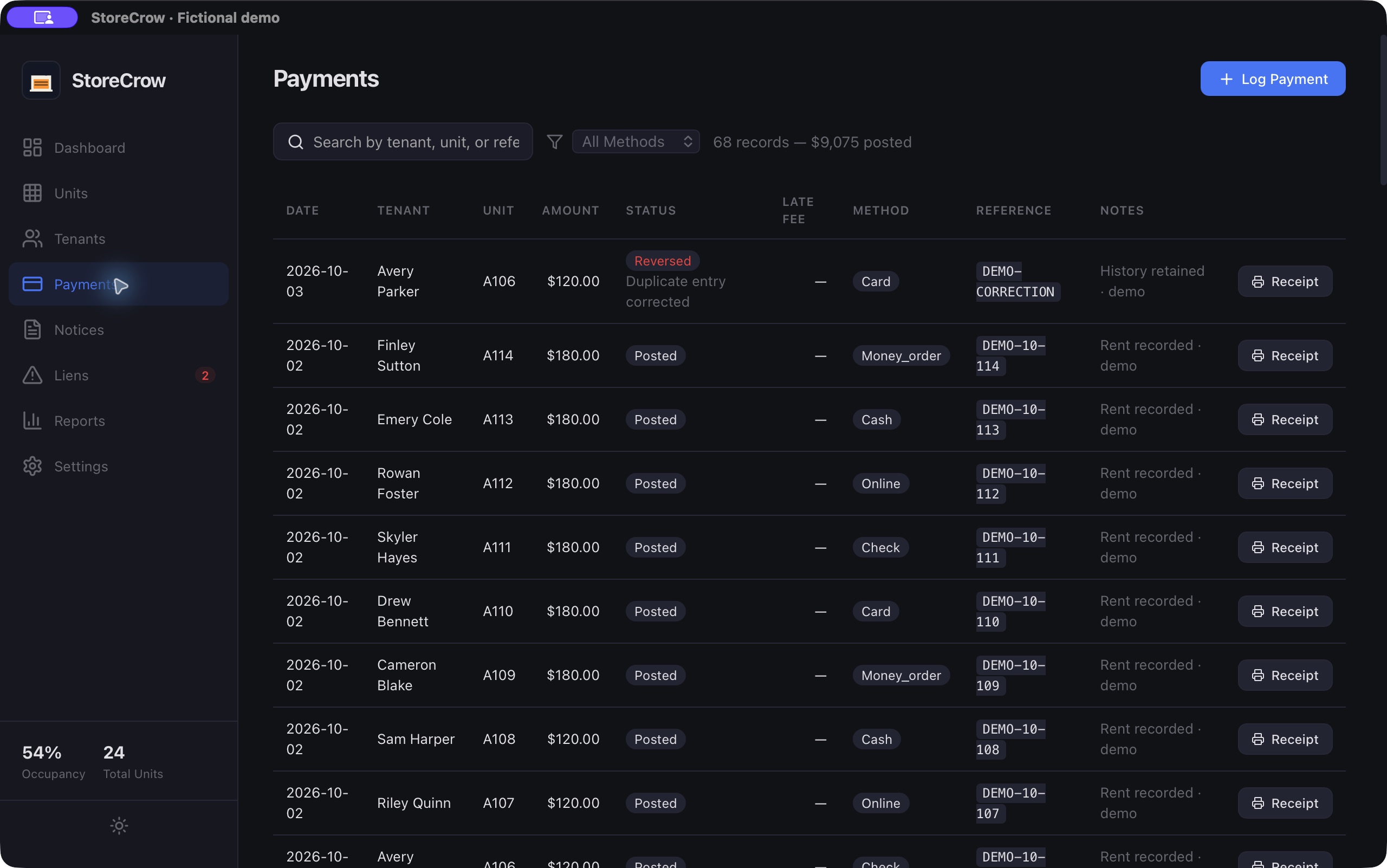
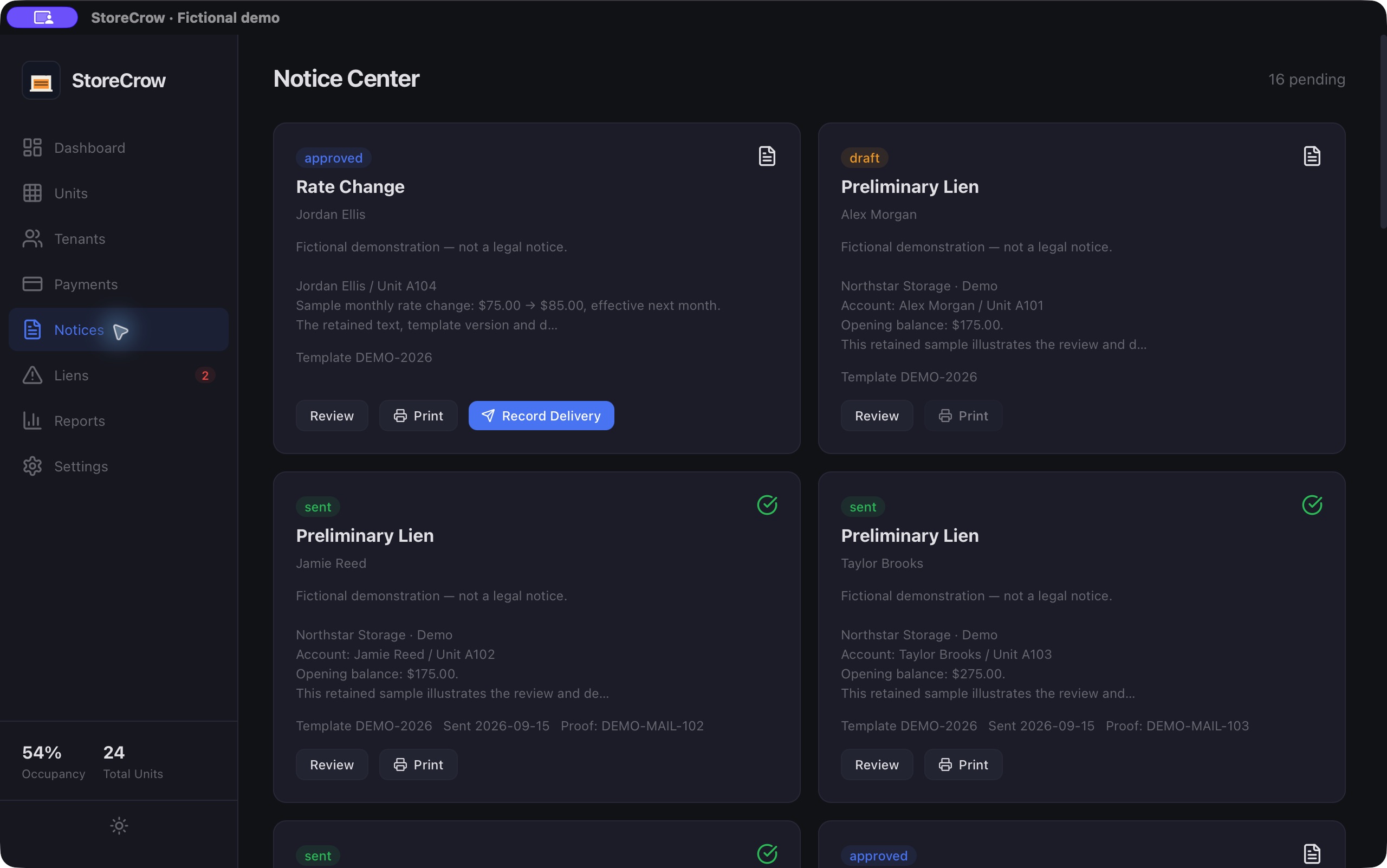
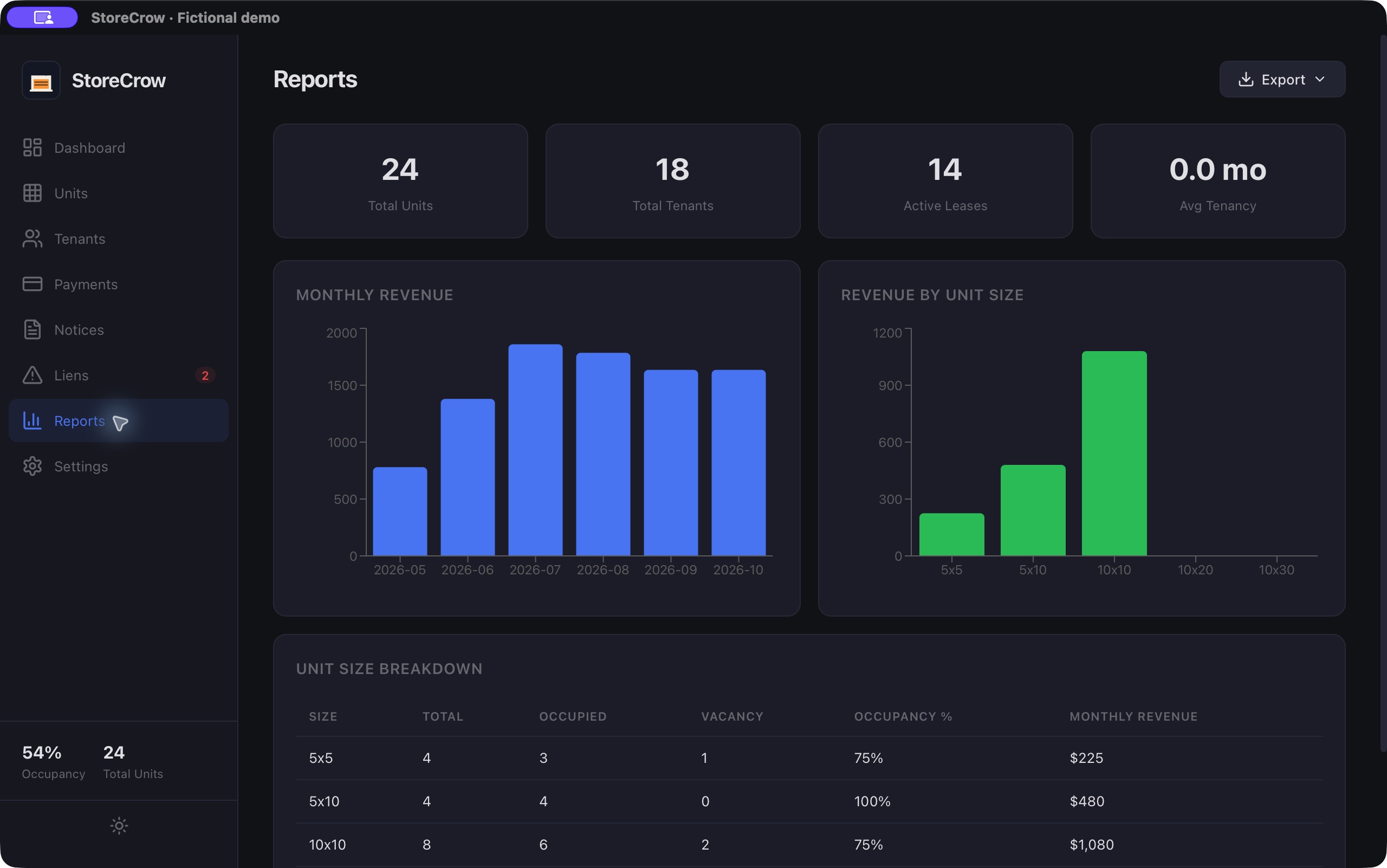
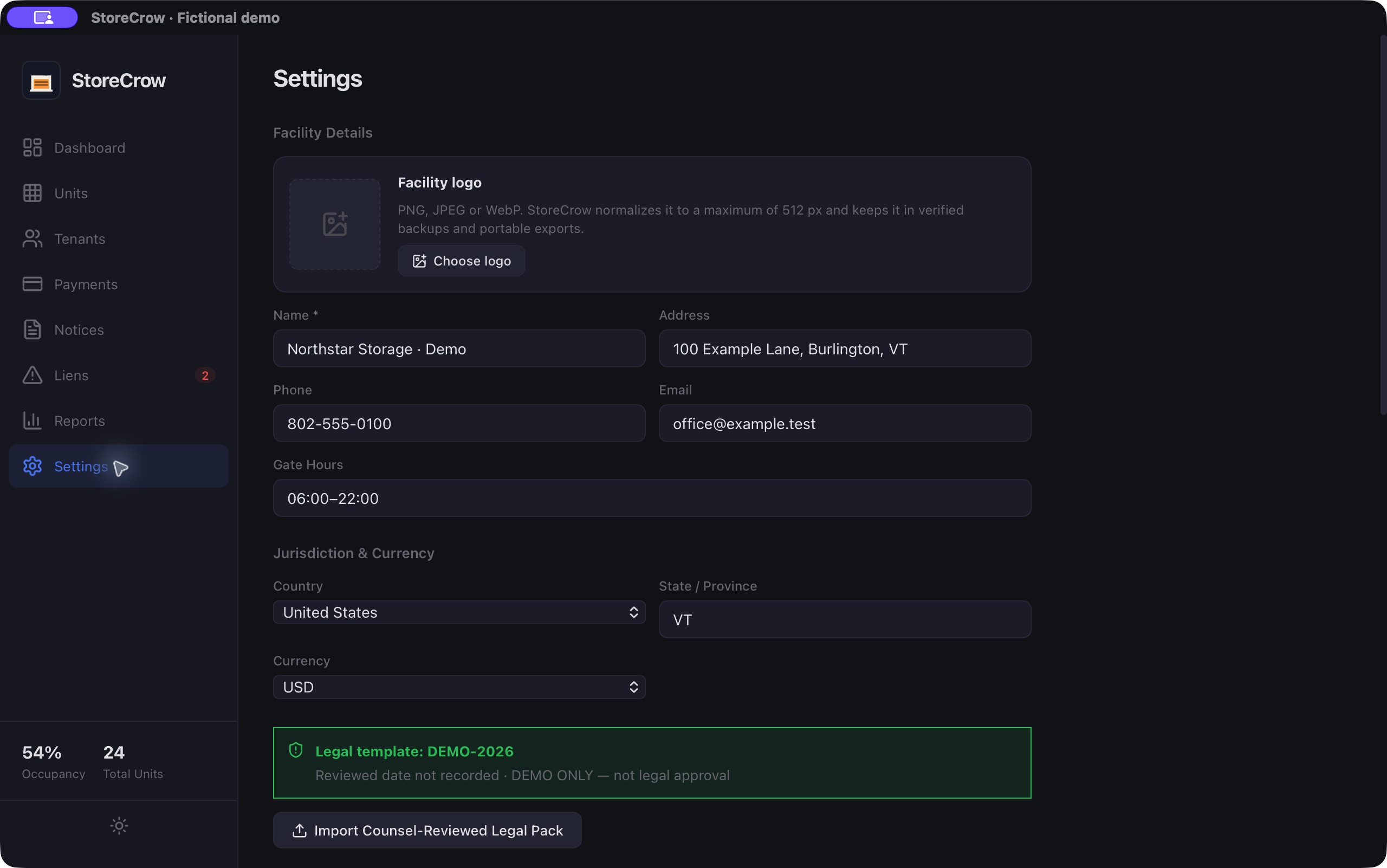
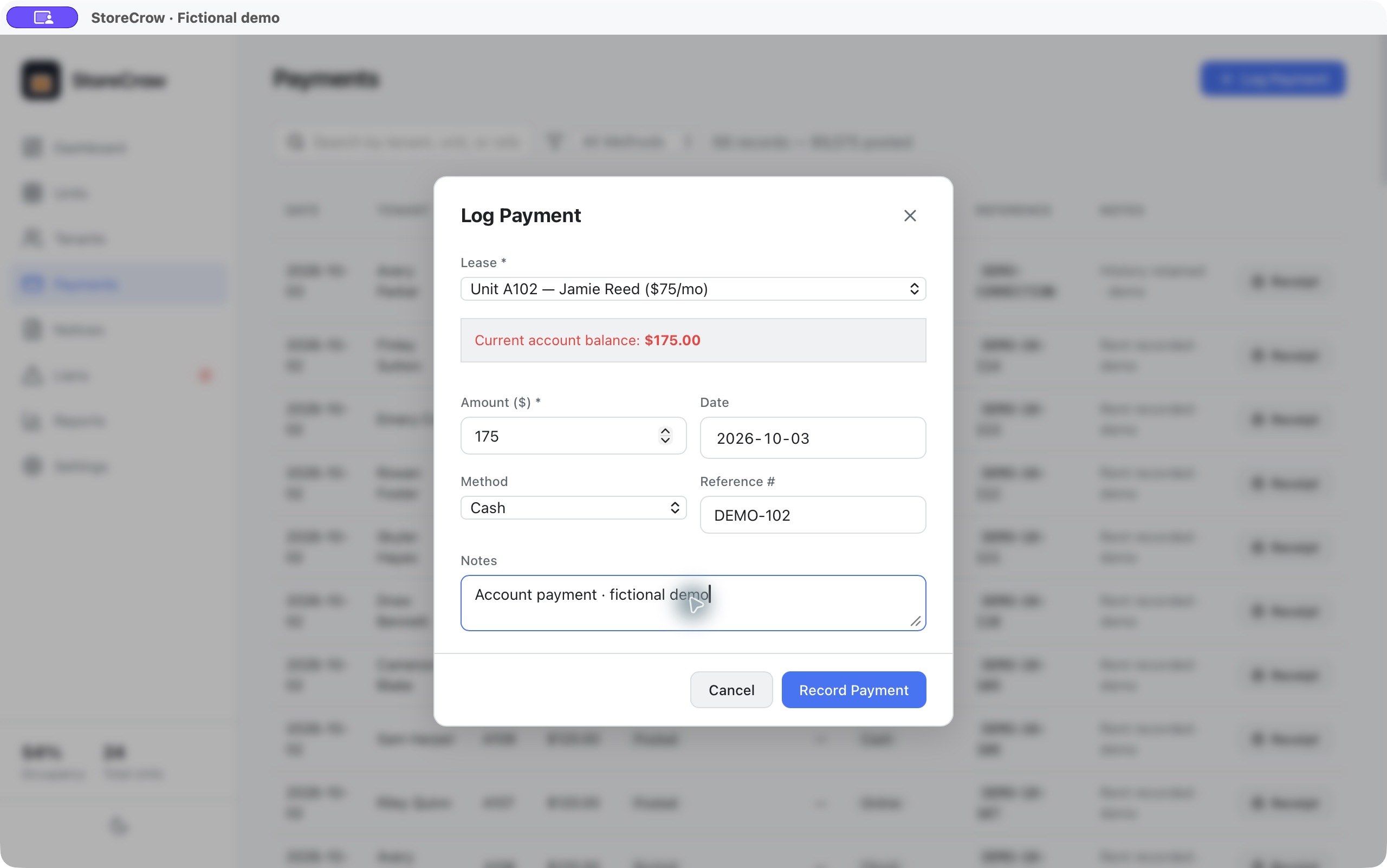
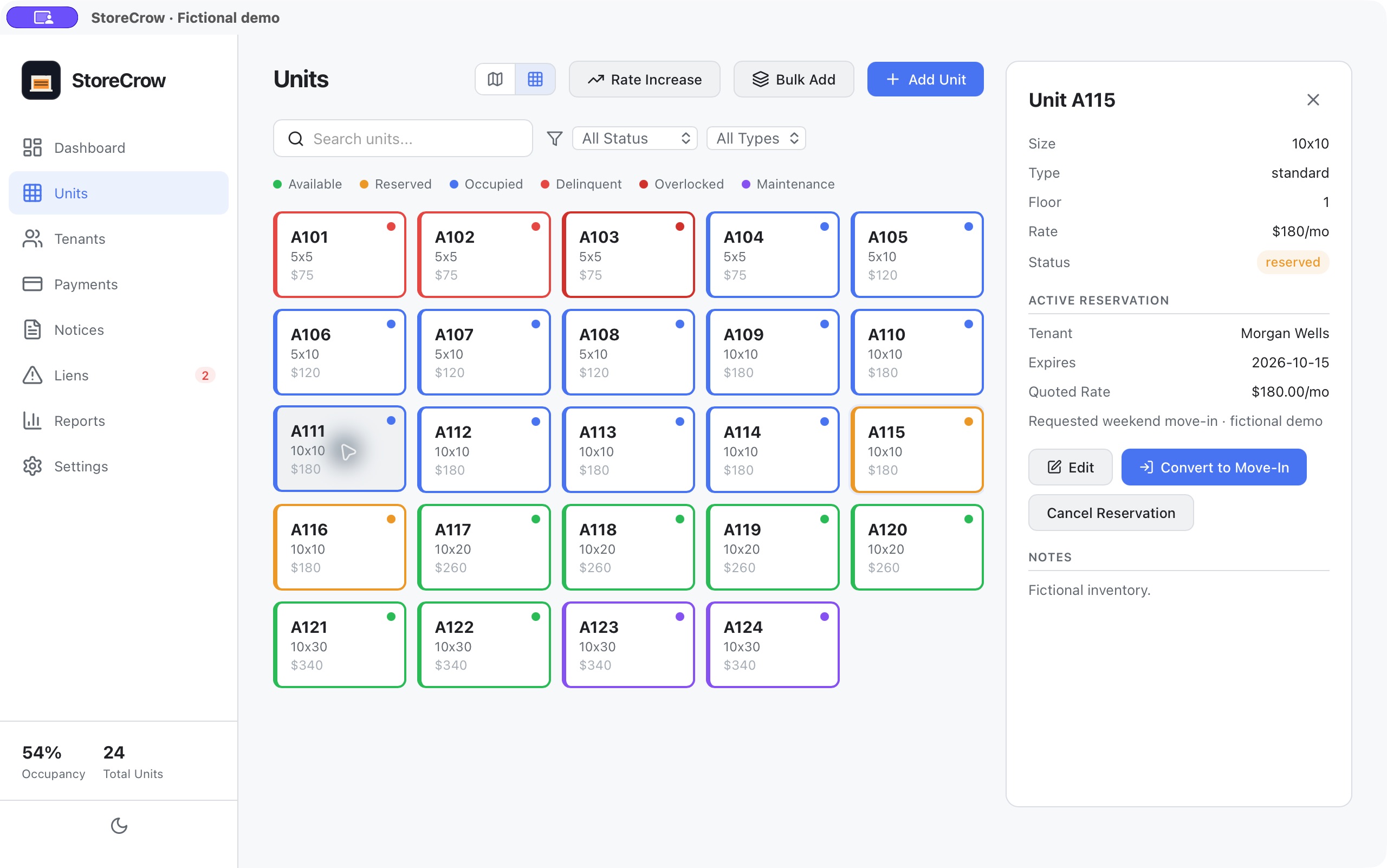
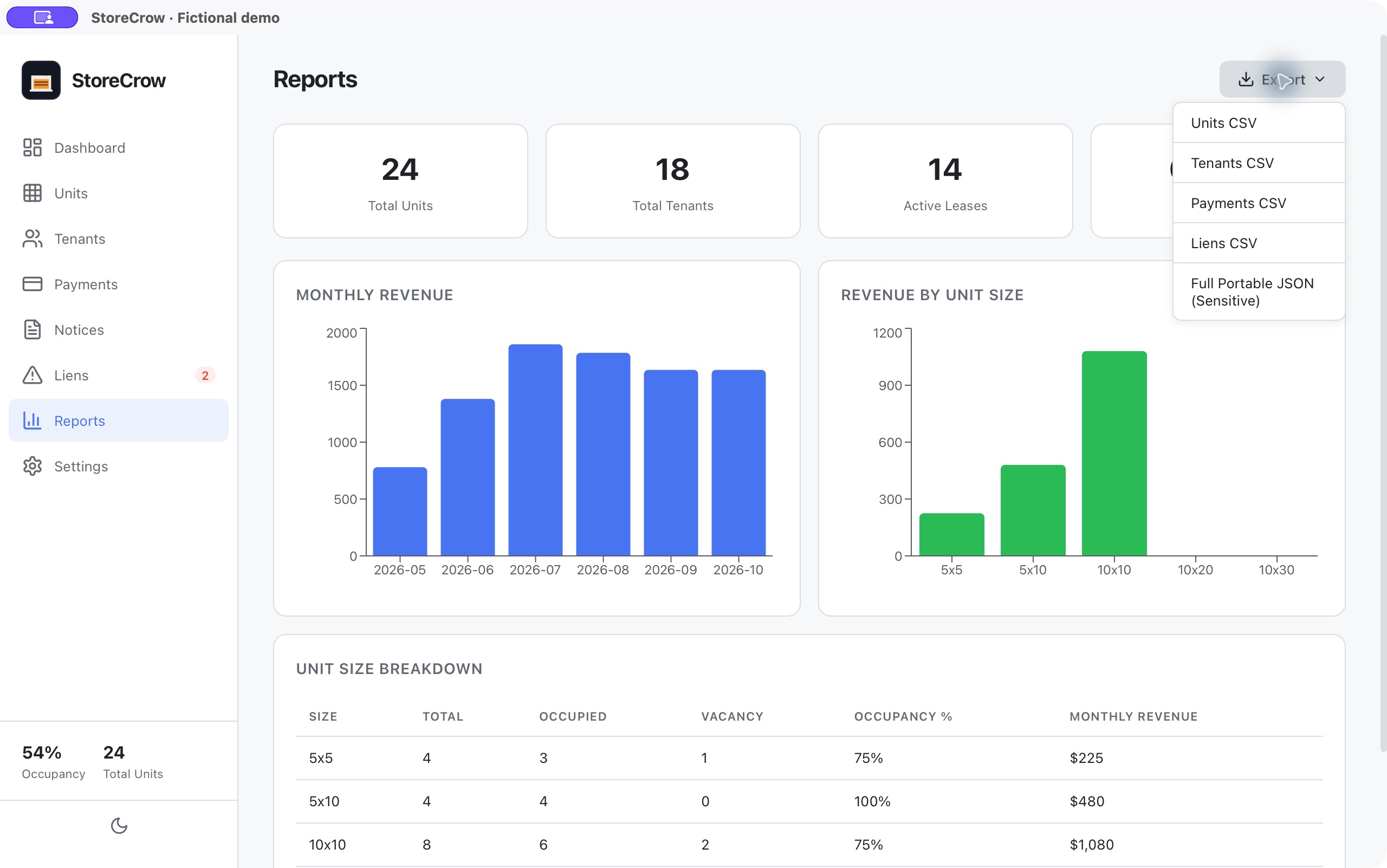
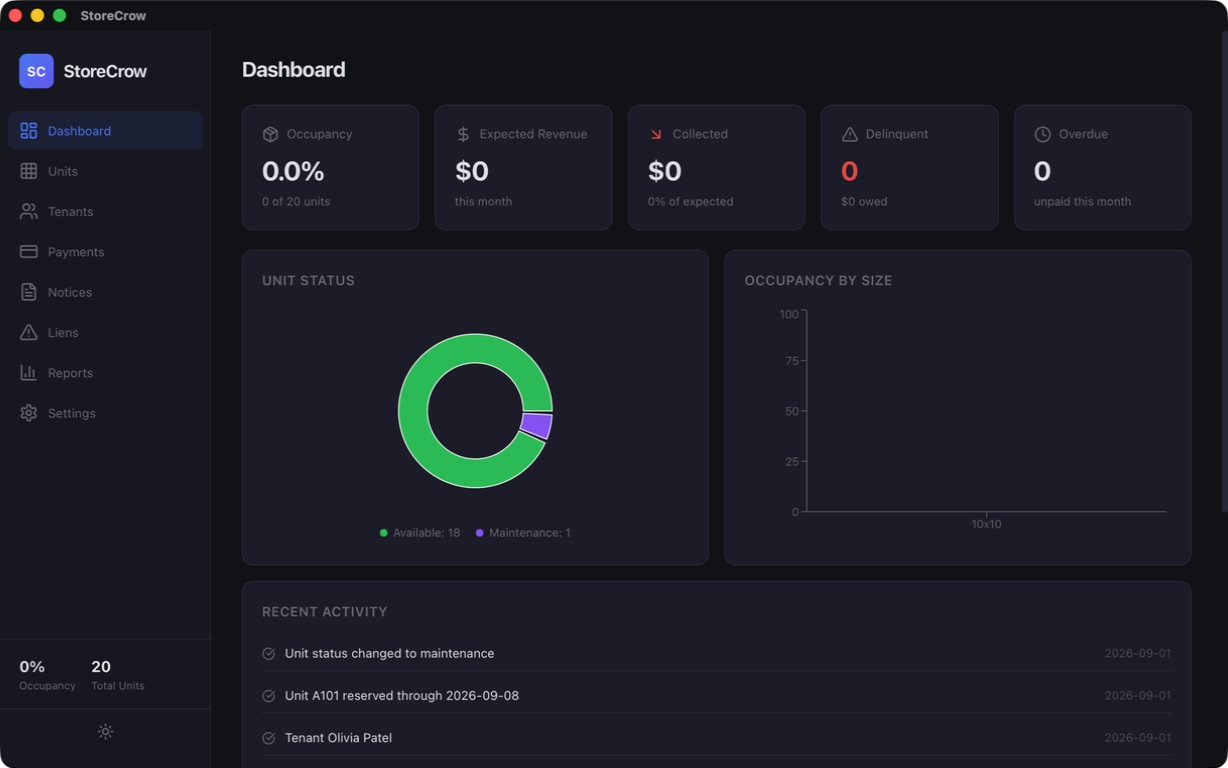
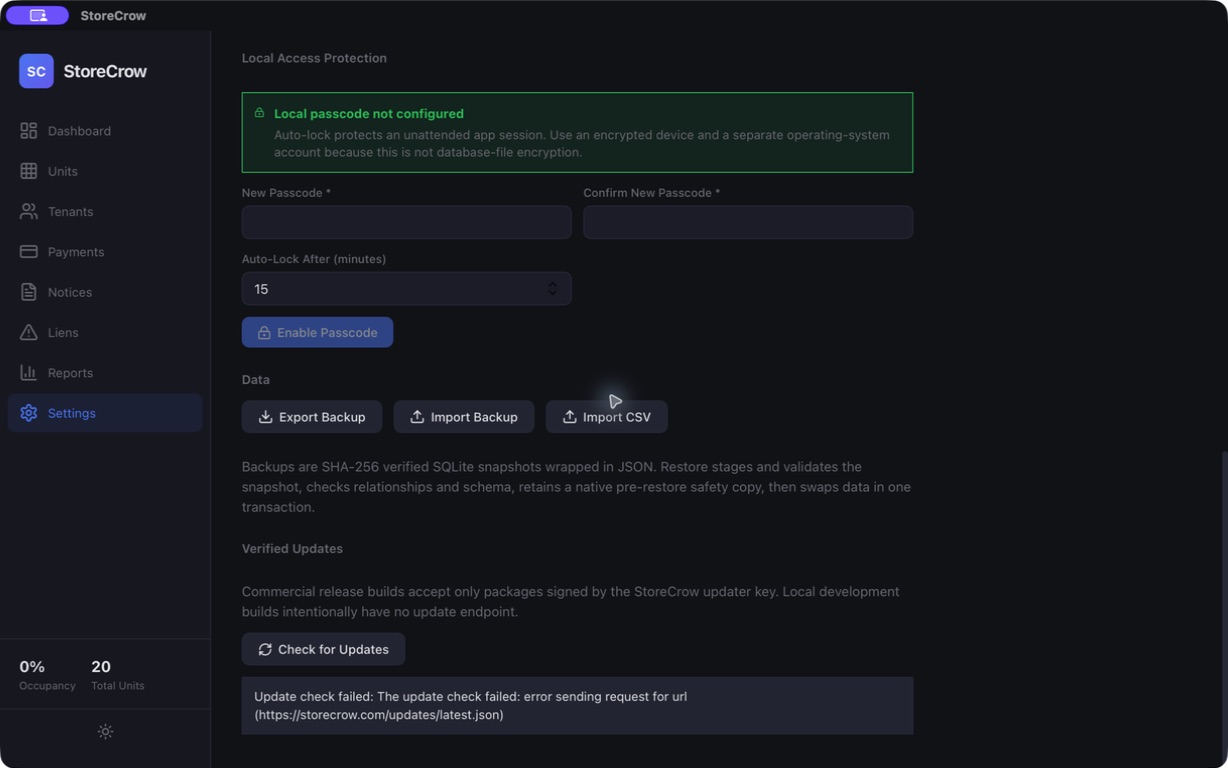
Keep the account history.Browse dated payments with methods, references and receipts. A reversed entry stays visible instead of disappearing.Keep the notice behind the status.Draft, reviewed and sent notices retain their text and delivery references in one place.Follow the timeline, not a hunch.See the balance, days overdue and recorded steps—from an opened case through notices and later actions.Your facility at a glance.Occupancy, monthly collections, available units and accounts needing attention—together on one desk.See the whole facility.A colour-coded floor plan connects each door to its size, rate and current status.Know who is behind each door.Search renter records and keep contact details alongside the assigned unit and balance.Turn records into a useful overview.Review six months of collections, occupancy and revenue by unit size, then export the records behind them.Make the desk your own.Set the facility identity, choose your logo and keep operating policies in the same workspace.
Keep the account history.Browse dated payments with methods, references and receipts. A reversed entry stays visible instead of disappearing.Keep the notice behind the status.Draft, reviewed and sent notices retain their text and delivery references in one place.Follow the timeline, not a hunch.See the balance, days overdue and recorded steps—from an opened case through notices and later actions.Your facility at a glance.Occupancy, monthly collections, available units and accounts needing attention—together on one desk.See the whole facility.A colour-coded floor plan connects each door to its size, rate and current status.Know who is behind each door.Search renter records and keep contact details alongside the assigned unit and balance.Turn records into a useful overview.Review six months of collections, occupancy and revenue by unit size, then export the records behind them.Make the desk your own.Set the facility identity, choose your logo and keep operating policies in the same workspace.
A payment belongs to an account.Pick the lease, see the amount due, and retain the method, reference and notes. StoreCrow records money received elsewhere; it does not process it.
Linked tenancyAmount dueReference & notes
Reserve now. Keep the next step clear.The unit holds the renter, expiry date and quoted rate together, ready for the move-in workflow.
Renter & unitExpiry dateQuoted rate
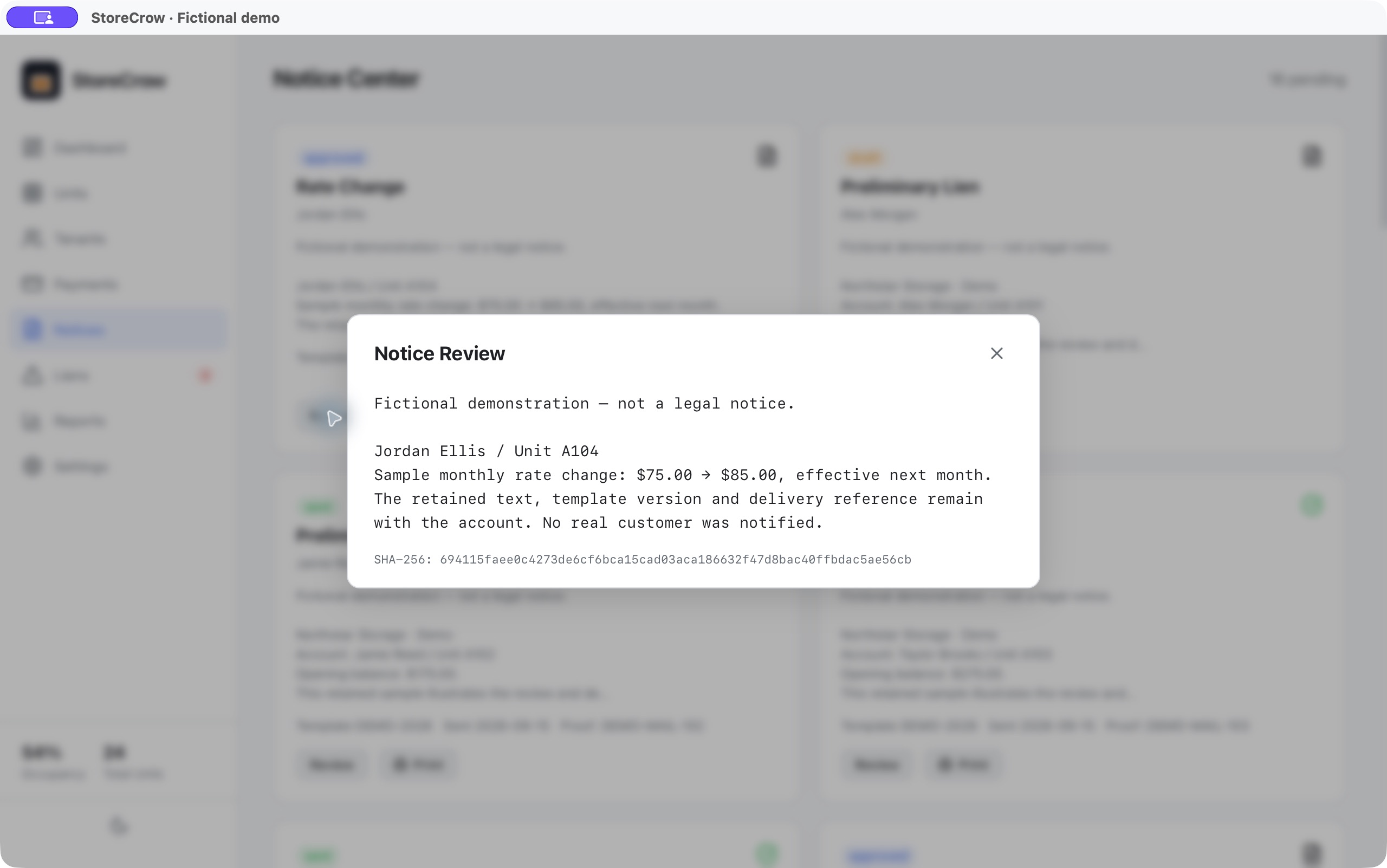
Review the actual words.Open the full retained notice—not just a status label—with the template identity and content fingerprint beside it.
Retained textTemplate versionContent fingerprint
Your records have a way out.Take units, tenants, payments and cases as CSV, or export the full portable JSON package with the operational history.
CSV reportsPortable JSONFull history
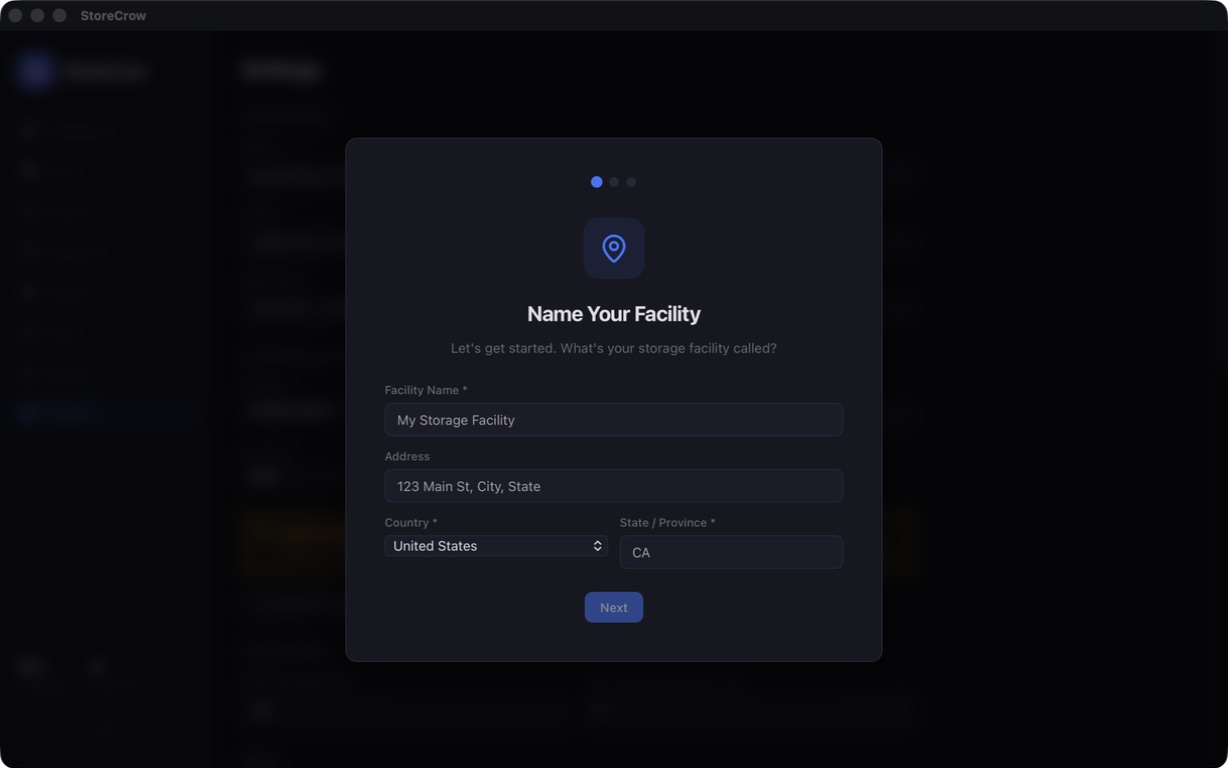
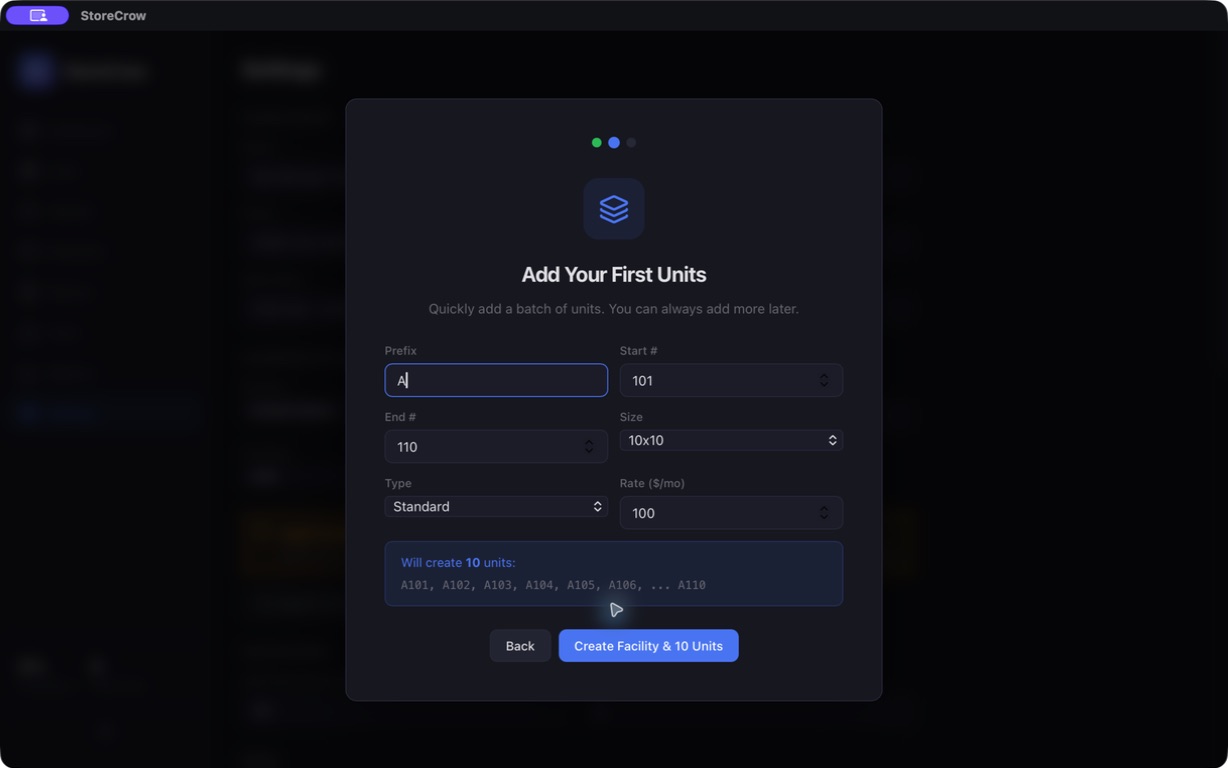
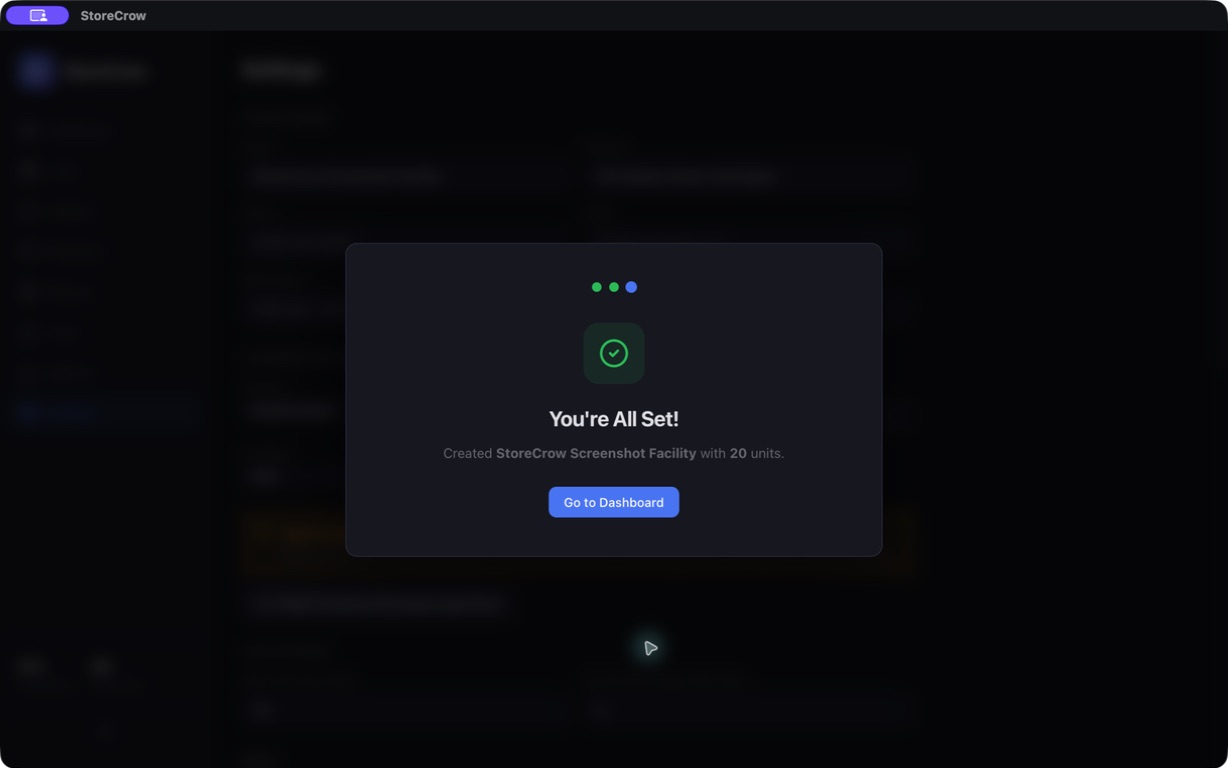
Start with your own facility.Three captures · facility setup, first unit batch and completion
Fresh-install onboardingFacility identity and jurisdiction setup.First unit batchValidated unit range, size, type and monthly rate.Ready for the deskOnboarding completion before entering the facility workspace.
Historical installation & recovery checks.Three retained captures · not current Store-installed acceptance
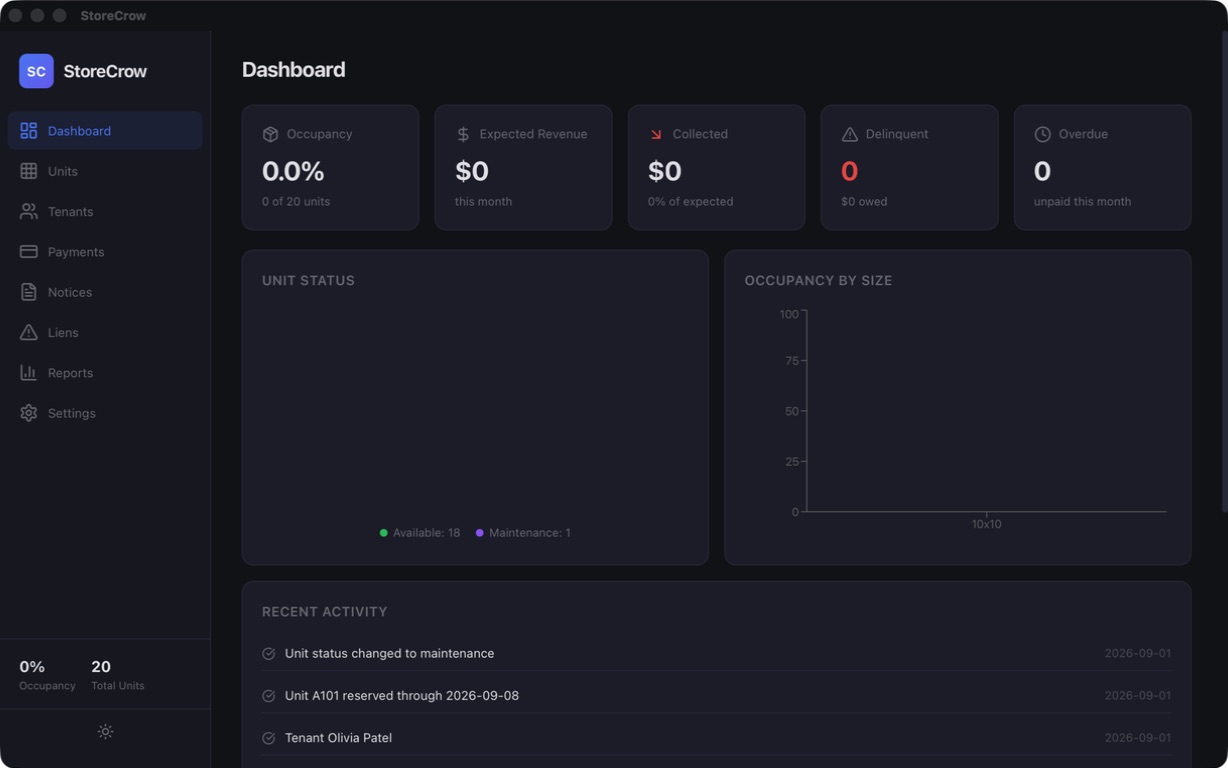
These dated screens preserve the earlier relaunch, reinstall and direct-updater checks. Direct Mac distribution and its updater are retired; current editions receive updates through the Apple and Microsoft Stores.
Relaunch persistenceSynthetic profile retained after full quit and relaunch.Archived updater testHistorical direct-build evidence; Store editions use Store-managed updates.Reinstall persistenceExact-app reinstall retained the synthetic profile.
Actual StoreCrow screens captured October 3, 2026, with fictional demonstration records. Open any image at full size. Earlier setup and recovery captures are preserved separately below their own headings.
Local doesn't mean automatically encrypted. Use full-disk encryption, a restricted device account and encrypted backup storage. Review the local security model.
No hosted account required
No application cloud sync, analytics or advertising SDK. Store-managed updates are separate from your facility records.
Backups you can verify
Checksummed snapshots and restore validation give you a deliberate recovery path. Keep independent copies off the working computer.
Exports that preserve the history
Take CSV reports or a structured full-history package with stable IDs and relationships. A move to another system still needs a mapped import.
Simple pricing
Buy once. Get to work.
Choose your desktop platform. No subscription or per-seat plan.
Apple
For Mac
US$19.99
One-time purchase
Microsoft
For Windows
US$19.99
One-time purchase
US launch price per store; local pricing and compatibility are shown by each store. Mac: Apple Silicon, macOS 14+. Windows: x64, OS build 19041+. Purchases are separate by store.
An independent operator managing one self-storage facility. StoreCrow keeps unit, tenant, lease, billing, notice and recovery records in one local database. It is not a multi-site cloud platform.
Does it process payments or control my gate?
No. StoreCrow records payments made through cash, check or an external processor; it does not move money or certify settlement. It also does not connect to gate hardware.
Can I use my own facility logo?
Yes. Choose, replace or remove a PNG, JPEG or WebP logo in Settings. It is kept locally with the facility and included in verified backups and portable exports.
Does it replace my accounting software?
No. It retains facility charges, manual payment records and account history, with reports and exports. Tax calculation and a full accounting suite are outside its scope.
Can I take my data with me?
Yes. Save verified recovery backups, CSV reports and a structured full-history portable package. Another system may need an import mapping and reconciliation; StoreCrow does not promise every vendor can ingest the export unchanged.
 StoreCrow